

Player Data
Backup and restore your game progress
Exports are signed and encrypted with your passphrase.
Keep your passphrase safe — it cannot be recovered.
🔄 Sync Devices
Merge your player data between two devices
Both devices must use the same passphrase
Create a room on one device, then join from the other.
Data merges using conflict-free replication (CRDT).
Room Code
✓ Sync Complete
Player data has been merged on both devices.
Reload the page to see updated data.
Using the Binder
This page walks you through every tool available on kipukas.cards. If you just want to learn the game rules, head to the Rules instead.
QR Scanner
Every Kipukas card has a unique QR code printed on its back. Scanning it takes you straight to that card's play data page. To make this as user-friendly as possible we include a private QR scanner that runs entirely on your device through our web app. The camera feed is never stored and never touches the internet — we (nor any other interested party) can see footage from the scanner.
How to scan: Click the QR button in the toolbar, accept the privacy statement, then point your camera at a card's back. The QR code should fill most of the camera frame. When a valid Kipukas QR is detected you will be taken to that card's page automatically. To cancel scanning, click the eye icon on the top left of the scanner overlay.
The scanner only recognises QR codes that pattern-match against Kipukas playing cards. For the best experience during a game, prevent your device from sleeping — a caffeine-mode app is recommended. If you prefer a standalone app, we recommend the open-source Android app Binary Eye (same code library as ours) or Cognex Barcode Scanner on iPhone.
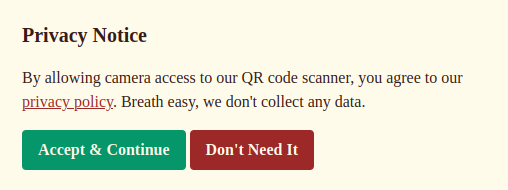
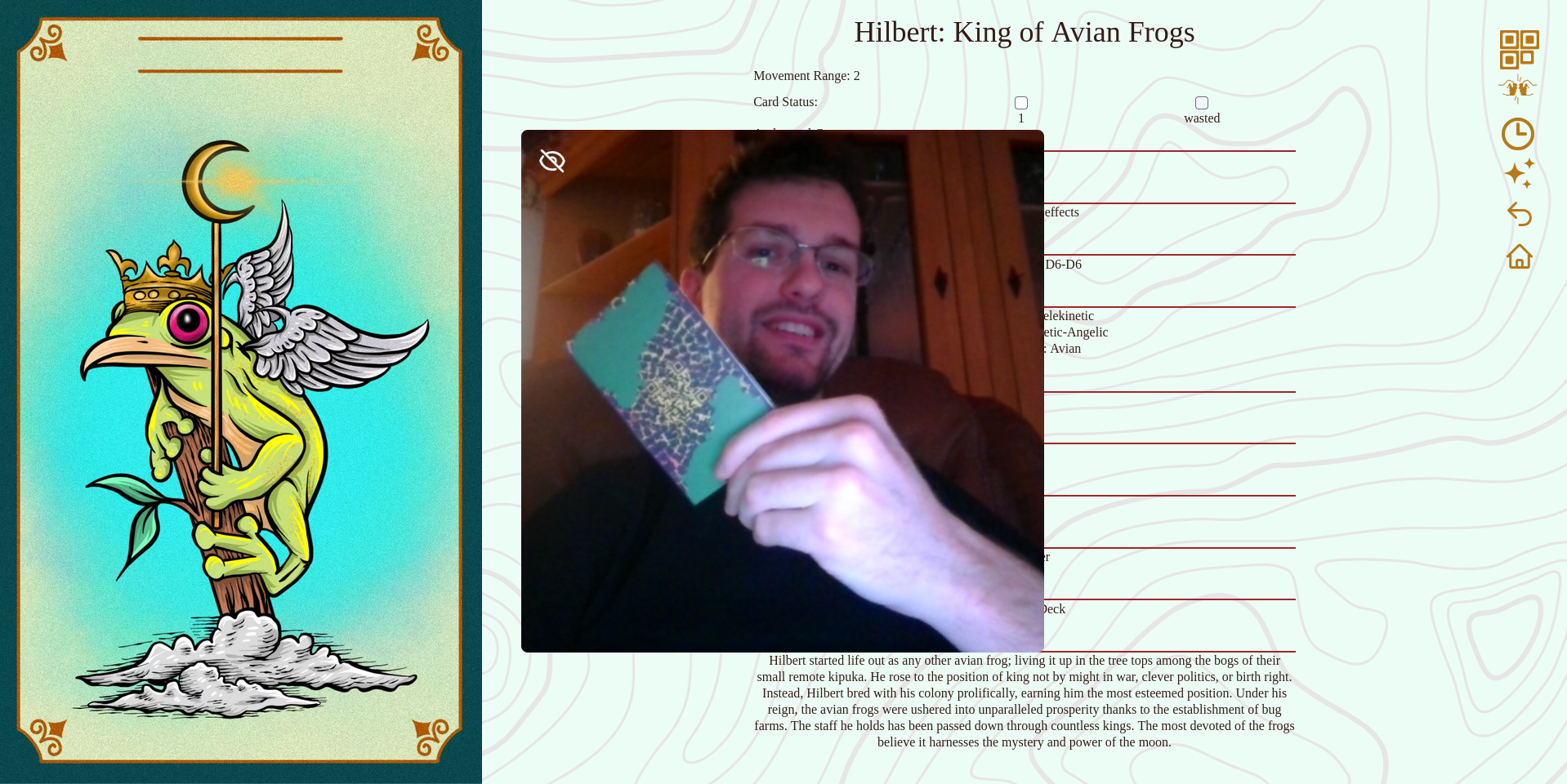
The QR scanner running on a 1080p laptop. The card being scanned is "Shard's Desert" — the first card commissioned for Kipukas.
Fists Tool
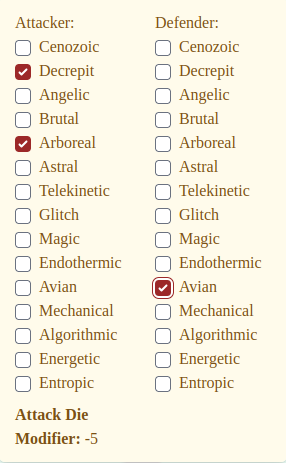
The fists tool determines the typing match-ups for KEAL means and Archetypal Gene interactions. It is accessible from the side toolbar on the home page and on every card page.
Local (Single-Player) Mode
Click the fists icon in the toolbar to open the tool without connecting to an opponent. Select the attacker's and defender's archetypal adaptations to instantly see the resulting roll modifier. This is useful for checking type match-ups during play or studying card interactions on your own.
Multiplayer Mode
When two players connect through a multiplayer room, the fists tool enables simultaneous, hidden submissions — mimicking the "write it on your grease board" experience digitally. The flow:
- One player creates a room and shares the room code with their opponent.
- The other player joins by entering the code. Once connected, the fists icon appears in both toolbars.
- Each player opens the fists tool, selects their card and KEAL means (or Archetypal Gene for Final Blows), and submits. Submissions are hidden until both sides submit.
- Once both players submit, the tool reveals the match-up result with all applicable modifiers (archetypal material interactions, affinity bonus, etc.) and the total Attack Die Modifier.
- After reviewing the result, either player can report the combat outcome ("Did you win?"). The tool then automatically marks KEAL means damage on the losing defender's card, and both players see a role-appropriate result message.
- Players can reset and start a new round for the next bout.
The multiplayer connection persists across page navigation within the same browser session, so you can scan QR codes to navigate between card pages without losing the room connection.

KEAL Means Damage Tracker
Each card page on kipukas.cards includes a damage tracker. Mark injuries by checking the box next to the KEAL means name. Once all KEAL means are marked as injured the Final Blows section appears, indicating the card is downed and vulnerable to a final attack. If the card is wasted, mark the wasted checkbox.
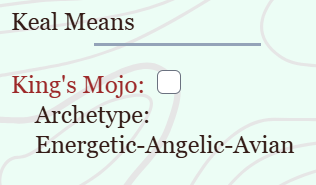
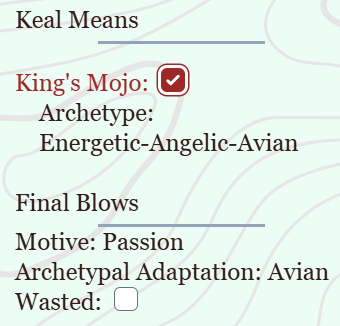
After your game is complete, use the reset option in the toolbar to clear the KEAL state of all cards.

Turn Timer
The turn timer tool helps players keep track of diel cycle turns during a game. Accessible from the toolbar, it lets you set a countdown for each turn. In multiplayer mode the timer syncs between both players so neither side can run the clock without the other knowing.
Affinity Tool
Open the affinity tool by clicking the Heart icon in the toolbar. Here you declare your affinity for an archetypal adaptation once per day. Your affinity level for that archetype increases with each declaration. When a soul card's archetypal adaptation matches your declared affinity you receive a +1 bonus to attack and defense rolls made for that card. The fists tool automatically includes this bonus in the Attack Die Modifier when applicable.
Loyalty Tracking
Each time you play a specific Character or Species card in fists combat on kipukas.cards, that card's loyalty counter increases (once per day per card). Loyalty is displayed as a "♥ N plays" badge on the card's page. Loyalty also increases if you came to own the card through an incubation card (not yet tracked digitally). Both affinity and loyalty are limited to once per day, except at tournaments which will be once per match.
Tameability Progress
Basic tameability tracking is now live on kipukas.cards. Each Species card page shows a progress bar comparing your current affinity level and loyalty plays against the card's tameability threshold. When the threshold is met a "✔ Tamed!" indicator appears. The full taming mechanic (incubation bonuses, rouge control triggers, in-game card effect stacking) remains future work.
Recipes Lookup
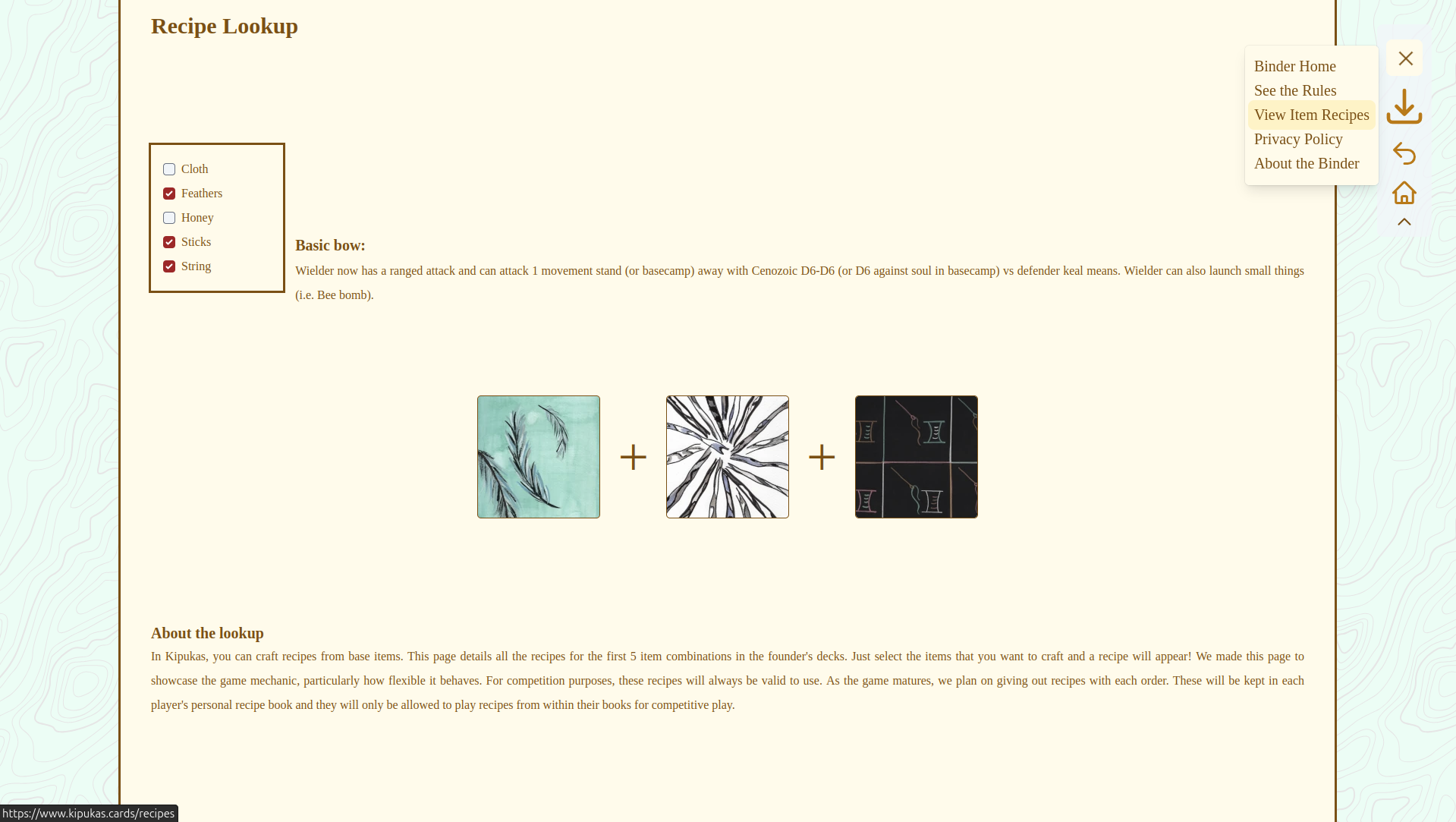
During our founders period all recipe combinations possible with the founder's deck items have been published. You can find the recipe lookup tool under the menu in the toolbar. In the future these will also be produced as physical recipe cards. The founder's recipes will always be accepted at competitions as open use and the online lookup will always reside on the binder.
Kippa (Rules Chatbot)
Kippa is an alpha feature designed to assist players in learning the rules. It lives on the binder and can answer questions about game mechanics, card interactions, and general Kipukas information.
Limitations to be aware of:
- No conversation memory — each message is independent; previous context is not remembered.
- Conversation history limited — once the page refreshes the history is wiped.
- Expect delays — limited hardware capacity means requests may queue when busy (30 s timeout).
- Check facts — Kippa can hallucinate and produce inaccurate results. The rules text is the canonical source.
- Offensive information — while unlikely, Kippa may produce offensive or biased content. This does not reflect the views of Kipukas as a company.
- Context limits — text input amount is limited, as is Kippa's output length.
- Interactions may be logged — prompts and responses may be saved for debugging and improvement. By using the chat you agree to have your chat stored. No other personal data is collected and no identifying data is ever collected.
- Topic limits — Kippa is trained to only respond to questions relevant to the rules, itself, and Kipukas.
Player Data & Cross-Device Sync
All your progression data (card damage, affinity, loyalty, turn alarms, settings) lives on your
device only. Nothing is sent to a server. You can export and import your player data as an encrypted
.kipukas file via the "Player Data" option in the hamburger menu.
If you play on multiple devices you can sync your player data between them via the "Sync Devices" option in the hamburger menu. Sync uses a peer-to-peer connection through our relay server and is authenticated with HMAC signatures to prevent tampering.
General Tips
- Use a caffeine-mode app to prevent your device from sleeping during play.
- A front-facing (selfie) camera works best with the QR scanner and phone stand.
- The binder works offline after the first load — great for venues with spotty Wi-Fi.
- A Chromium-based browser (Chrome, Edge, Brave, etc.) provides the best experience.
- The site is a PWA — you can install it to your home screen for an app-like experience.
For more about the binder's philosophy, privacy stance, and business model see About the Binder. For our open-source technology stack and licenses see Open Stack & Licenses.